A quiet little companion for Pandora.
Play, pause, replay, skip, rate and save tracks from a popup that stays out of your way. Your settings and history never leave this machine. And there is a panda. The panda blinks.
Click the panda. It likes that.
Not in the store. On purpose.
Free Panda will never be listed on the Chrome Web Store. It reaches into Pandora's player to seek, replay and save, and that is not the kind of thing a store review waves through. So it ships the way extensions used to. You get a folder. You point Chrome at the folder. That is the entire distribution model.
The upside is bigger than it sounds. No account, no review queue, no silent auto updates, no telemetry. The whole build is seven small files and three icons. You can read every line before you load it, and nothing runs that you didn't put there yourself.
Load unpacked
Chrome's Developer mode has a button for loading an extension straight from a folder on disk. That button is the install process.
Updates are yours to make
Swap the folder contents for a new build, press reload on the extensions page, refresh Pandora. Nothing changes until you decide it should.
Pass it along
Want to share it? Send the zip or send this page. The person on the other end needs Chrome and about a minute.
Everything the popup can do
Nine things, all of them small, all of them the kind you miss when they're gone.
Now playing, at a glance
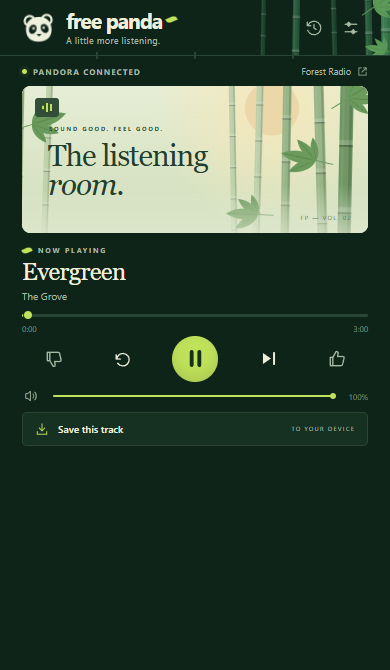
Title, artist, album, station and cover art, with a progress bar you can actually drag.
Transport from anywhere
Play, pause, replay, skip to the end of the track, volume and mute. Pandora can sit in a background tab the whole time.
Thumbs that still count
Thumbs up and thumbs down go through Pandora's own buttons, so your stations keep learning what you like.
Page controls that match
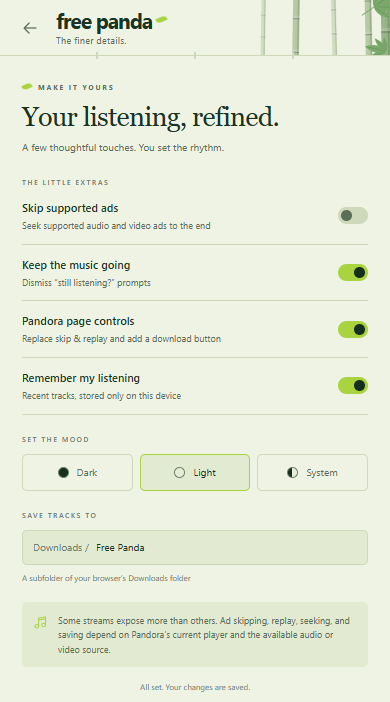
Pandora's Skip and Replay buttons get swapped for matching ones that work, plus a Download button that wasn't there before. Turn it off and the originals come right back.
Ad seeking
Seeks supported audio and video ads to the end. It will not pretend to skip music just because a video ad happens to be playing.
Keep the music going
Dismisses Pandora's "still listening?" prompt so a long afternoon stays long.
Save a track
A real Save As dialog, a sanitized filename and a Downloads subfolder you name. Chrome asks for the downloads permission only when you click.
Your last 25 tracks
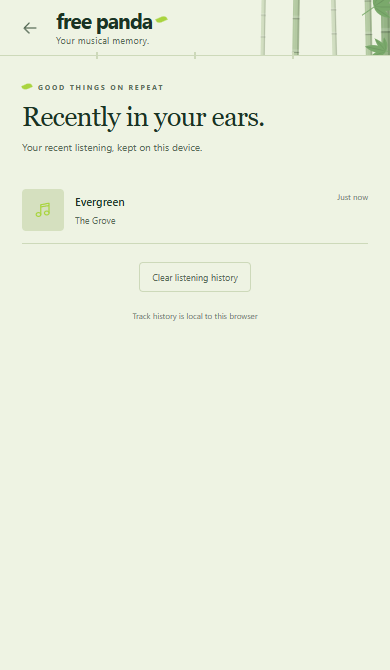
A listening history kept on this device and capped at 25. Switch it off in Settings or clear it from the History view.
Dark, light or system
Three themes, saved the moment you pick one, and a panda that looks good in all of them.
A look around
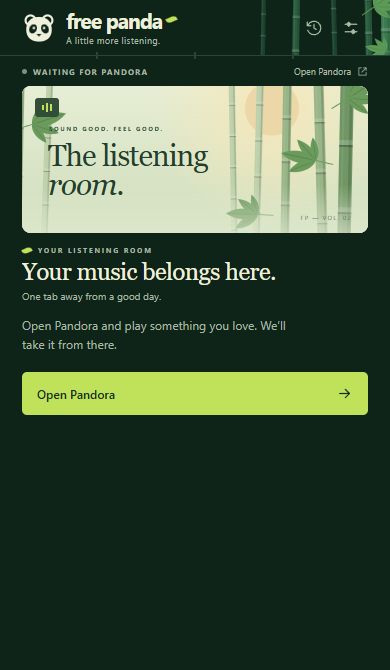
Player and waiting states in the dark theme, settings and history in light. These are real captures, not mockups.

Loaded by hand, in about a minute
Chrome can load any extension folder straight from disk. That is the only way Free Panda is delivered, and it is less fiddly than it sounds.
- 1
Get the folder
Download the zip and extract it somewhere permanent. Chrome reads the extension from this folder every time it starts, so don't leave it in Downloads where it might get tidied away later.
- 2
Open the extensions page
Type this into the address bar, or copy it from here. Chrome won't let a web page link to it directly.
chrome://extensions - 3
Turn on Developer mode
It's the toggle in the top right corner of that page. Flipping it reveals a short row of buttons.
- 4
Load unpacked
Click Load unpacked and pick the folder that contains
manifest.json. Free Panda appears as a card on the page. - 5
Open Pandora
Go to pandora.com, sign in as you normally would and start a station. If Pandora was already open, refresh the tab so the extension can see the player.
- 6
Pin the panda
Click the puzzle piece in Chrome's toolbar and pin Free Panda. Then click the panda. That's it.
Updating
Replace the folder contents with the new build. Then open chrome://extensions, click the circular reload arrow on the Free Panda card, and refresh Pandora. Your settings and history stay where they are.
The short docs
It's a small extension. These are small docs.
Settings
| Setting | Default | What it does |
|---|---|---|
| Skip supported ads | On | Seeks supported audio and video ads to the end. Audio and video ads are handled separately, so music is never skipped by mistake. |
| Keep the music going | On | Dismisses Pandora's "still listening?" prompt when it appears. |
| Pandora page controls | On | Replaces Skip and Replay on the page with matching buttons and adds a Download button. Off restores the originals. |
| Remember my listening | On | Keeps your last 25 tracks on this device. Clear them any time from the History view. |
| Set the mood | Dark | Dark, light, or follow the system. |
| Save tracks to | Free Panda | A subfolder of your browser's Downloads folder. Names are sanitized so they are safe on Windows, macOS and Linux. |
Permissions and privacy
- storage holds settings and the optional history. Local only, never synced, never sent to a server.
- Host access is limited to
https://www.pandora.comandhttps://pandora.com. It is used to read the player, control media and find the right tab. There is no general tabs permission. - downloads is optional. Chrome asks the first time you click Download, and you can say no.
- Scripts are self only. The content security policy is
script-src 'self', so no remote code, no eval, no CDN anything. - Removal is clean. Uninstall the extension and its storage goes with it.
Compatibility, honestly
Pandora is a third party site. Its markup and media policies change whenever Pandora decides they should, and Free Panda won't always keep up on the same day.
Skip, replay, seek and ad behavior all work by seeking an accessible HTML media element. That is not a promise of unlimited skips or ad removal. Protected streams, streams that refuse seeking, and blob only sources cannot be downloaded or bypassed. The extension does not decrypt DRM and does not write tags into saved files.
Use downloads only where you have permission, and follow Pandora's terms and the law where you live.